
50 Crowns App for Users on Android and iOS Devices
Players in the United Kingdom can start exploring the collection of more than 12,000 titles with just a few taps on their mobile devices. They can download the 50 Crowns app on their smartphones or tablets and play on the go with an internet connection. The application is fast and secure. You can sign up trusting that your data is safe. It is intuitive, making navigation straightforward and natural. You can download it for free on our official site.
How to Use and Install on Android and iOS
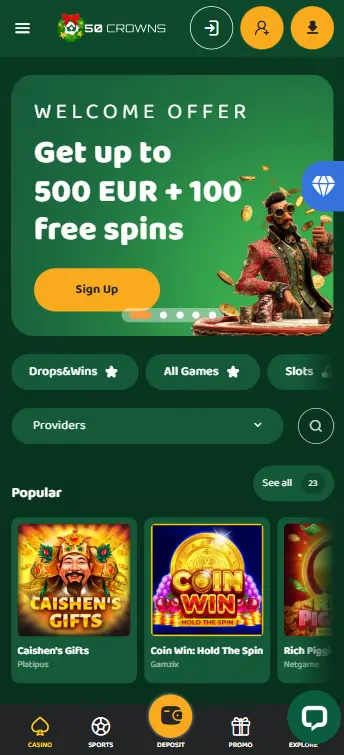
Our software is designed to mirror the desktop version. The mobile app comes with every element that you need to play on your mobile. For instance, you can deposit and withdraw funds, claim bonuses, sign up, verify your identity and play. Installing the app is easy.
- Open our site. Load our 50Crowns app on your phone or tablet.
- Download the app. A pop-up message will appear asking you to download the app. Alternatively, you will see the download icon in the top-right corner.
- Install. Tap to begin the installation of the application.
- Launch the app. Find the thumbnail on your phone and tap to open. You can sign up, log in and manage the profile and the wallet.
Types of Available Devices
You can access our platform from different types of devices. These include:
- Phones: The site is adapted for mobile use. You can use it on your browser or download the mobile app on your Samsung Galaxy phone, iPhone, Huawei, Google Pixel or any other latest smartphone you have for the 50 Crowns Casino app.
- Tablets: If you are looking for immersive gameplay on a bigger mobile device, you can use a tablet or iPad. You can download our app or use it directly on your browser.
- Desktop: Players can access the site on their laptops and desktops. You can download the PWA shortcut to open the platform quickly from your desktop.
System Requirements for 50 Crowns App
Your phone and tablet should meet several minimum technical requirements to use our casino mobile tool. These include:
- Operating system: Use a device with Android version 8+ or iOS 11+.
- Processor: iOS devices should have an A11 Bionic chip, while Android devices should have a quad-core 1.8GHz or more for the 50Crowns Casino app.
- RAM: You can use a phone with 2GB RAM, but we recommend 4 GB.
- Storage: You need more than 200 MB of storage to download the application.
- Screen resolution: Your Android device should have 720p HD or higher screen resolution to provide clear visuals, while your iPhone should have Super Retina or Retina HD.
- Connectivity: You need a 4G, 5G or WiFi internet connection.
Mobile Interface
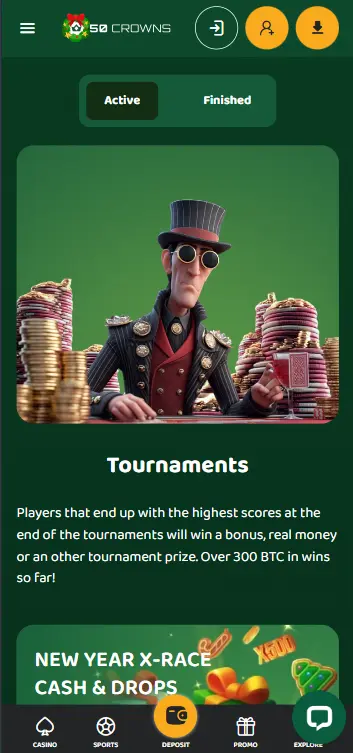
We designed our gaming software with simplicity and functionality in mind. Right from the moment you open it, you will see a clean layout and design. We used different shades of green to create a background on the 50 Crowns mobile that will appeal to your eyes and ignite a relaxing feeling. In the top left corner is a menu icon. It opens a list of items which, upon clicking, open designated pages like games, tournaments and promotions. You can close the menu by tapping “X”. Our logo sits next to the menu bar. You will also find the sign-up button on the same line.
There is a promotional banner that you cannot miss just below the header. Scroll it to discover our offers. You will find a scrollable list just below the banner. It features game tabs such as Drops & Wins, Crash, X-Mas and Tournament games. Continue scrolling to the bottom of the 50 Crowns Casino mobile to find games, information sections and our partners.
How to Play Mobile Games
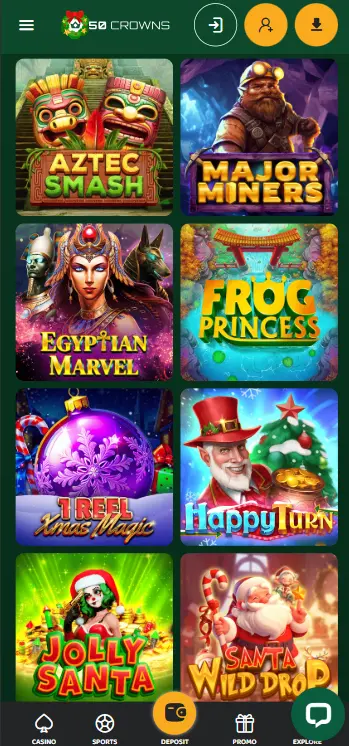
Our mobile version will grant you access to over 12,000 titles, including video and classic slots, roulette, blackjack and other genres. You can explore them while signed in. We provide two gaming options: free versions and real-money. The live dealer category is only available in real money mode. As such, you need to deposit funds.
While logged in to the app, find your game. Tap on it to start playing. You will find features to help you explore information about the game. Read the rules, familiarise yourself with the paytable and odds and set the bet on the 50Crowns mobile. Tap the spin button in slots and the play button in other games.
Features of 50Crowns App
The development team added various features to ensure the mobile software is useful and effective. For starters, every element is fully optimised for all types of mobile devices. It will load to cover your tablet or phone while making every element touch-friendly. The layout is designed to work perfectly on smartphones and tablets. Navigation is straightforward, you can swipe up and down and switch between sections with a few taps.
The mobile app comes with all the elements you need to support your gameplay, eliminating the need to switch between devices for the 50Crowns Casino mobile. You can play games, deposit, withdraw, claim bonuses and talk to customer agents.
Security and Data Protection
Our platform is designed to give you peace of mind. One of the things we did to show our legitimacy and give you peace of mind was to license our operations. Gaming regulators have strict rules that we must follow to ensure your protection. The application uses robust encryption to protect your data and transactions. We only offer certified and randomised games to ensure fairness.
Your account is always protected. You need the correct credentials to access it. You can go a step further and enable your phone’s security features for the 50 Crowns mobile app, like password, pattern and biometrics, to restrict access to your mobile version.
Bonuses for Mobile App Players
Players in the UK can count on quality bonuses from the moment they sign up. They include:
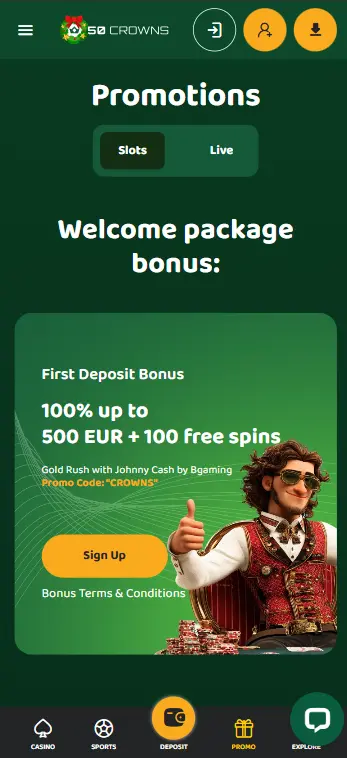
- Welcome package – We have a basic welcome combo of GBP 500 and 100 free spins. It is a 100% match deposit where you can deposit GBP 20 or more to qualify. High rollers receive an even bigger treat of GBP 1,500 for a much higher minimum deposit of GBP 150 or more.
- Wednesday free spins – This offer is available every Wednesday. You get a specific number of free rounds based on your deposit. For example, when you add GBP 30 to your account on the 50 Crowns Casino mobile app, you get 50 spins and 75 spins when you add GBP 50.
- Cashback – Another deal that the application stands to benefit from is the weekly cashback of 20%. You can get the reward every Monday.
- VIP program – Our 21-level VIP program is structured to reward loyal players with free spins, cash prizes and other perks.
Pros and Cons of the 50 Crowns Casino App
One of the benefits you will get from using the app is quality entertainment wherever you go. Simply take the phone out and log in to continue with your session. There might be some downsides to using the tool. Let’s break that down:
| Pros | Cons |
|---|---|
| Access to a diverse collection of games that will satisfy even the most demanding gamers on the 50Crowns mobile app. | We don’t have an APK or IPA native app. |
| You can manage your application account, deposit money and withdraw winnings on your phone. | You cannot play while offline. |
| Access to the welcome bonus, reloads, cashback and other ongoing promotions. | |
| Highly secure, protecting user data and funds. |